A calm, honest media player for Windows.
NOVA plays the video and audio files on your computer, remembers where you stopped, and tells you exactly what it decoded, and what it can't.
0.1.0Free · Windows x64 · tested on Windows 11 · source on GitHub
What it does, and how we know
Plays what you open, exactly.
Exact seeking within 100 ms, position advancing in real time, no decoder drops: measured on 55 synthetic samples, once in software and once with hardware decoding.
Verified in harnessMedia Atlas
Picks up where you stopped.
Progress is saved on your computer and survives restarts. Moved or renamed files keep it. Clips under a minute start from the beginning, on purpose.
VerifiedContinuity
Says what it decoded.
One key shows codec, bit depth, chroma, HDR and whether the GPU or the processor is doing the work. Useful when footage looks wrong.
VerifiedInsight
Explains instead of failing.
Broken files get a reason and next steps. Editing projects and camera RAW are recognised and explained. If one stream can't be decoded, the rest keeps playing.
VerifiedHow it explains
Keeps to your computer.
No account. No telemetry or analytics code. The engine runs with web fetching, scripts and outside config files switched off. We have not yet captured network traffic to prove the absence of connections.
Checked in codePrivacy
See it play
Six chapters from the real app, captured from NOVA 0.1.0 playing open films. Use the timeline, or the arrow keys once it has focus.
Back where you were
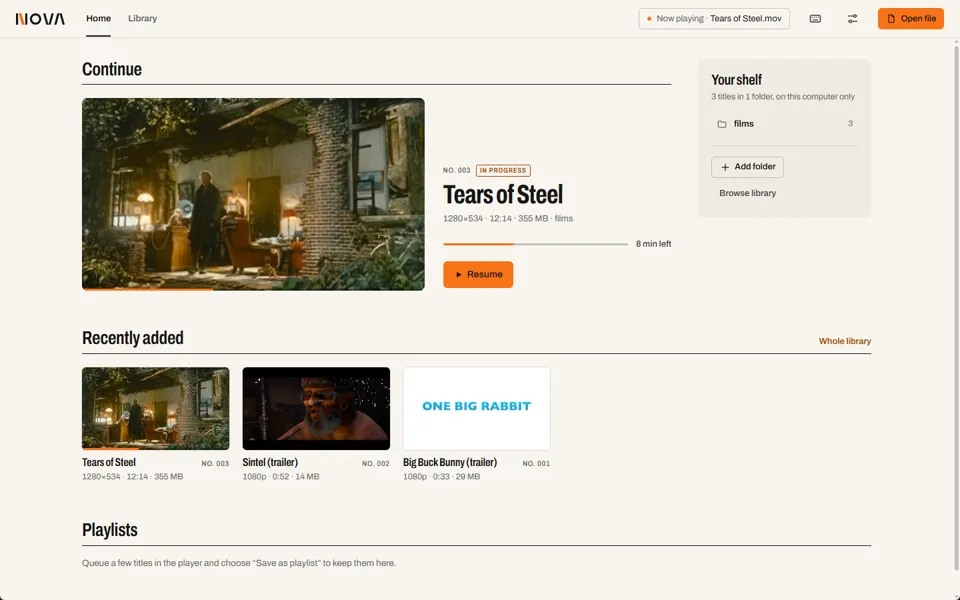
Home opens on the title you were watching, with the time left and one Resume button. Progress survives restarts, and moved or renamed files keep it.
VerifiedResume after restart exercised in the installed app.
Captured from NOVA 0.1.0 on Windows 11. Tears of Steel, Sintel, Big Buck Bunny © Blender Foundation, CC BY 3.0.
A catalogue of your folders
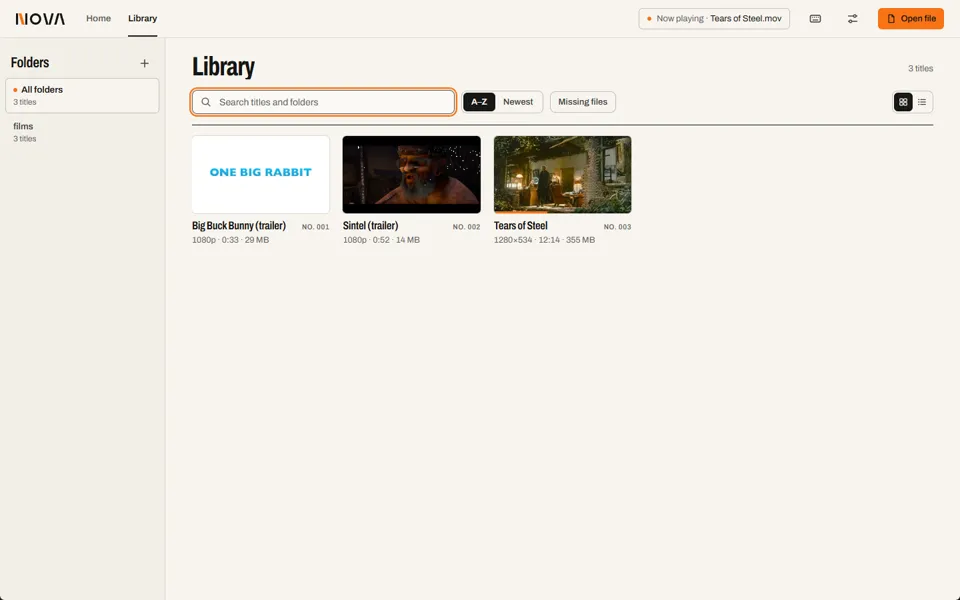
Add folders and NOVA scans them in the background: thumbnails, durations, a spec line and a catalogue number for every title.
VerifiedThumbnails and spec lines verified; search typing not re-run for RC1.
Captured from NOVA 0.1.0 on Windows 11. Tears of Steel, Sintel, Big Buck Bunny © Blender Foundation, CC BY 3.0.
The picture first
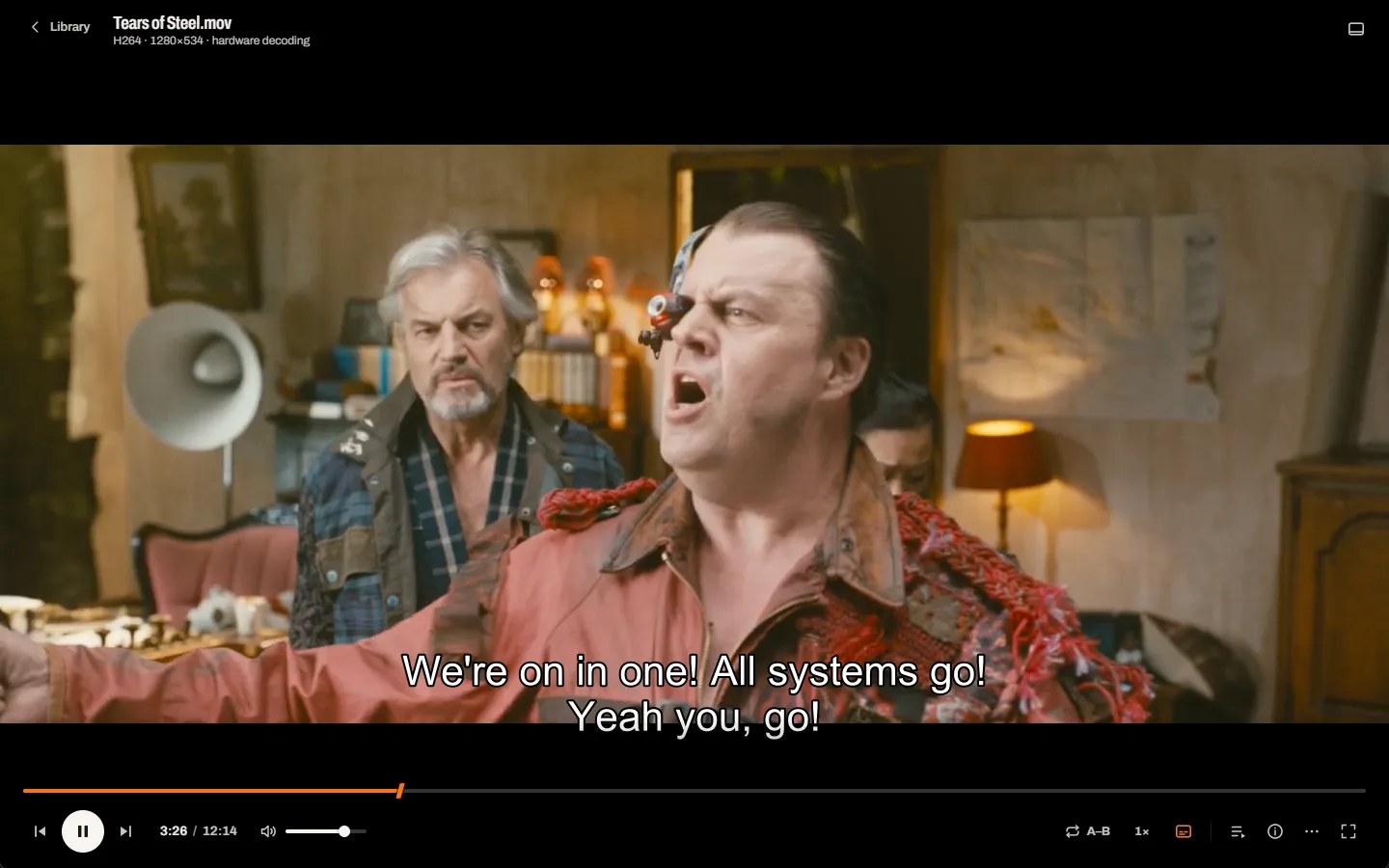
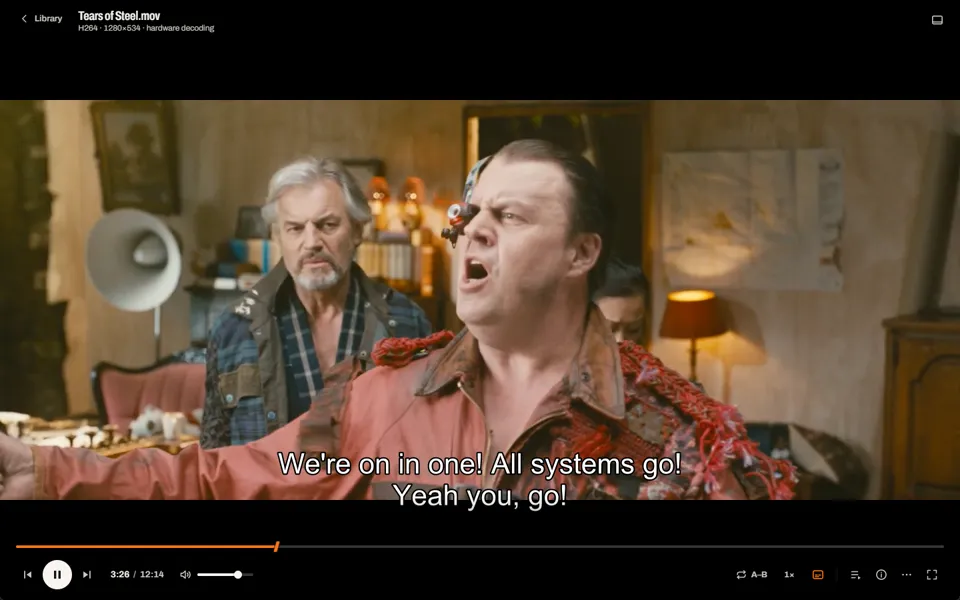
One quiet deck under the film. The playhead is the beam from the N, and subtitles rise above the controls when they appear.
VerifiedPlay, seek, volume, speed, fullscreen, frame step.
Captured from NOVA 0.1.0 on Windows 11. Tears of Steel © Blender Foundation, CC BY 3.0.
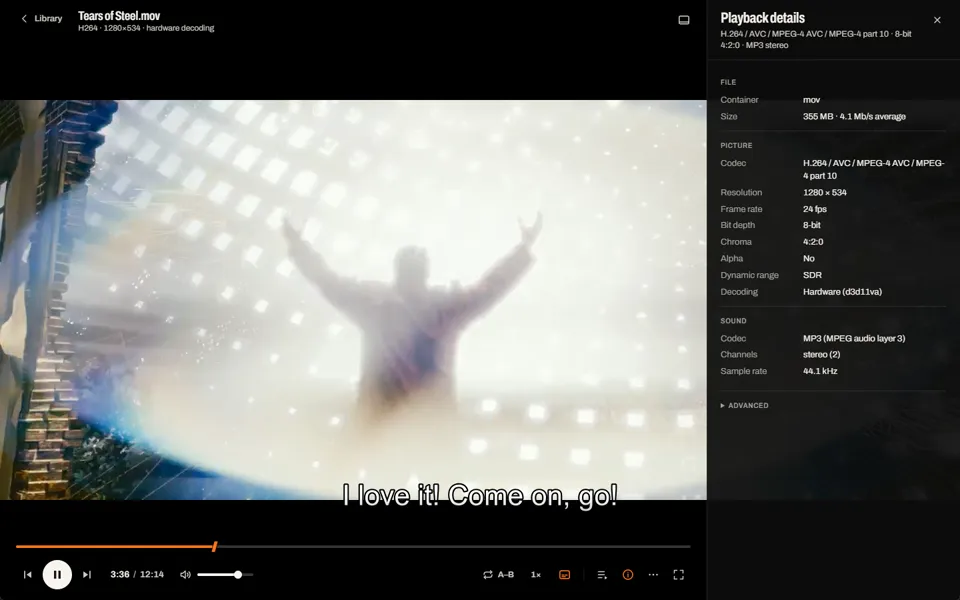
What was actually decoded
Container, codec, resolution, frame rate, bit depth, chroma, alpha, dynamic range and the decoder in use, hardware or software, all reported by the engine.
VerifiedInspected in the running app.
Captured from NOVA 0.1.0 on Windows 11. Tears of Steel © Blender Foundation, CC BY 3.0.
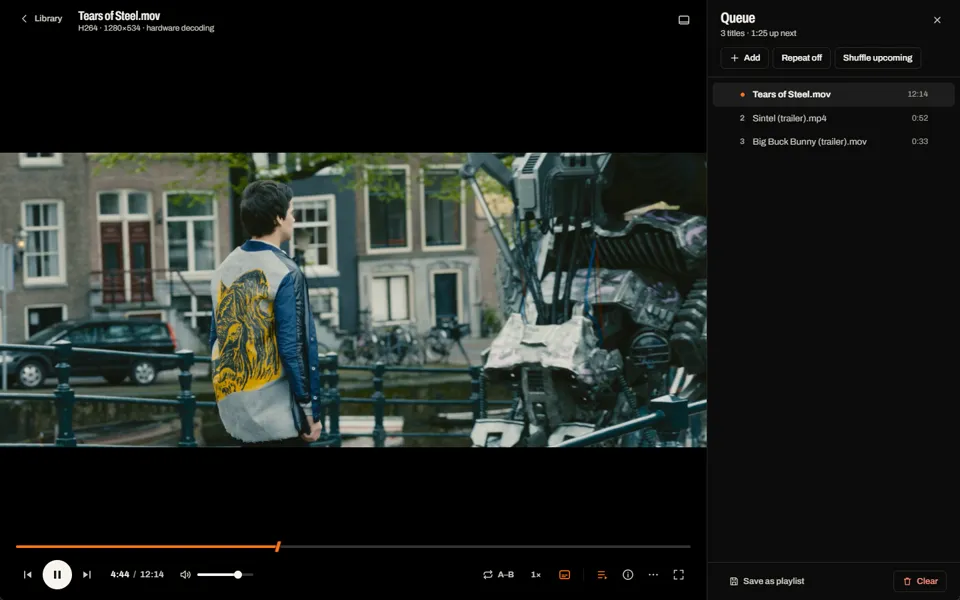
Line up the evening
Queue several files, reorder them, repeat or shuffle, and save the queue as a playlist. The picture re-centres beside the open panel.
VerifiedReorder, repeat, shuffle, save, rename.
Captured from NOVA 0.1.0 on Windows 11. Tears of Steel © Blender Foundation, CC BY 3.0.
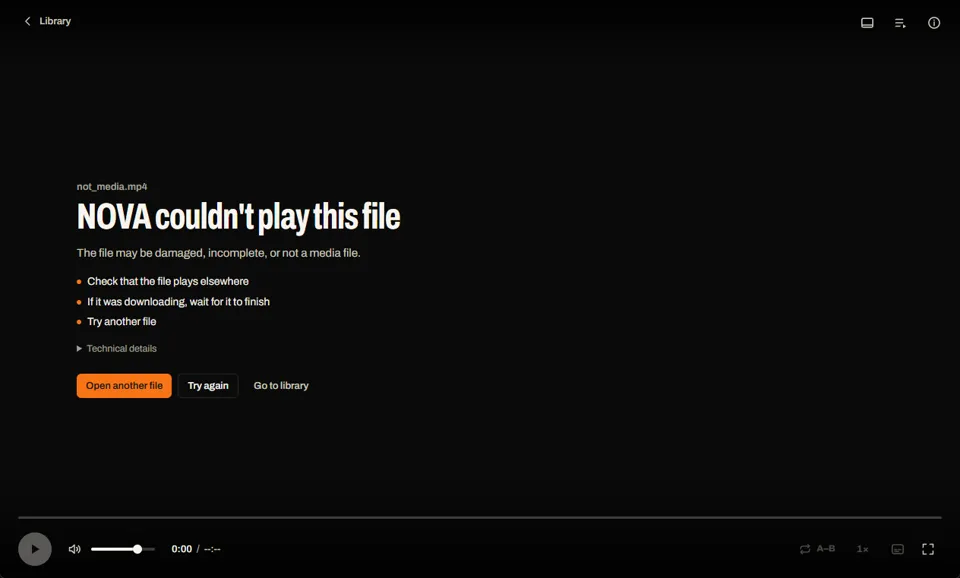
A reason, not a shrug
When a file can't be played, NOVA names it, says why it probably failed, and offers three ways forward.
VerifiedFailed-media screen exercised for RC1.
Captured from NOVA 0.1.0 on Windows 11.
NOVA 0.1.0 is out.
Free for Windows x64. It has been tested on one Windows 11 machine, so expect rough edges; the known ones are listed on Product.
NOVA's code is MIT OR Apache-2.0. This installer bundles a third-party engine build with GPL components, so the installer as a whole is GPL; the engine's source and licences ship with it. Later releases move to an LGPL engine.