The app, chapter by chapter
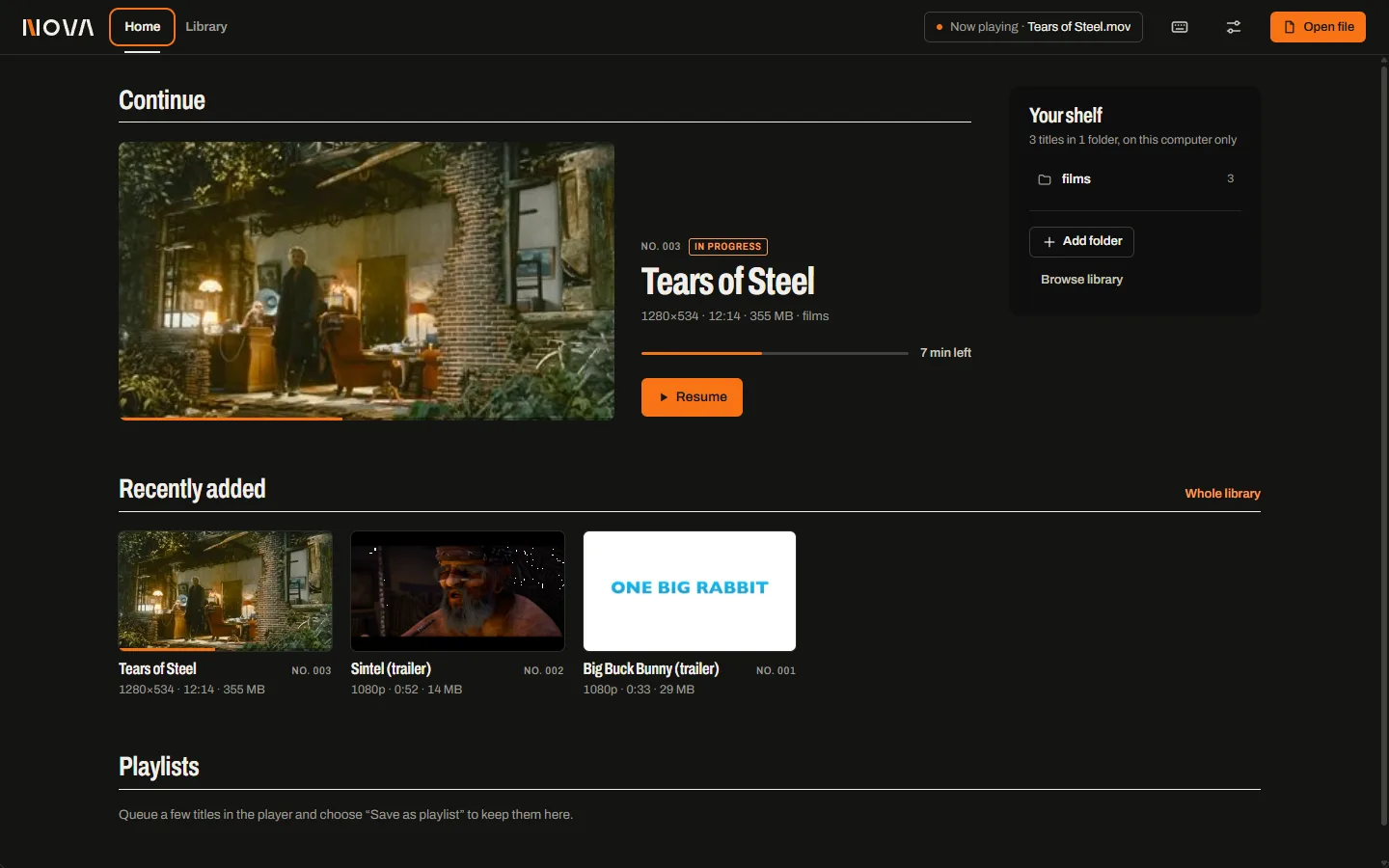
Everything on this page is a capture of NOVA 0.1.0 running on Windows 11, playing open films from the Blender Foundation. Each feature carries the status it earned in the release-candidate test record.
- Verified
- Exercised in the real app.
- Verified in harness
- Checked by the automated engine harness.
- Partial
- Present, with a limitation or not re-run for this build.
- Not built
- Known gap.
Playback
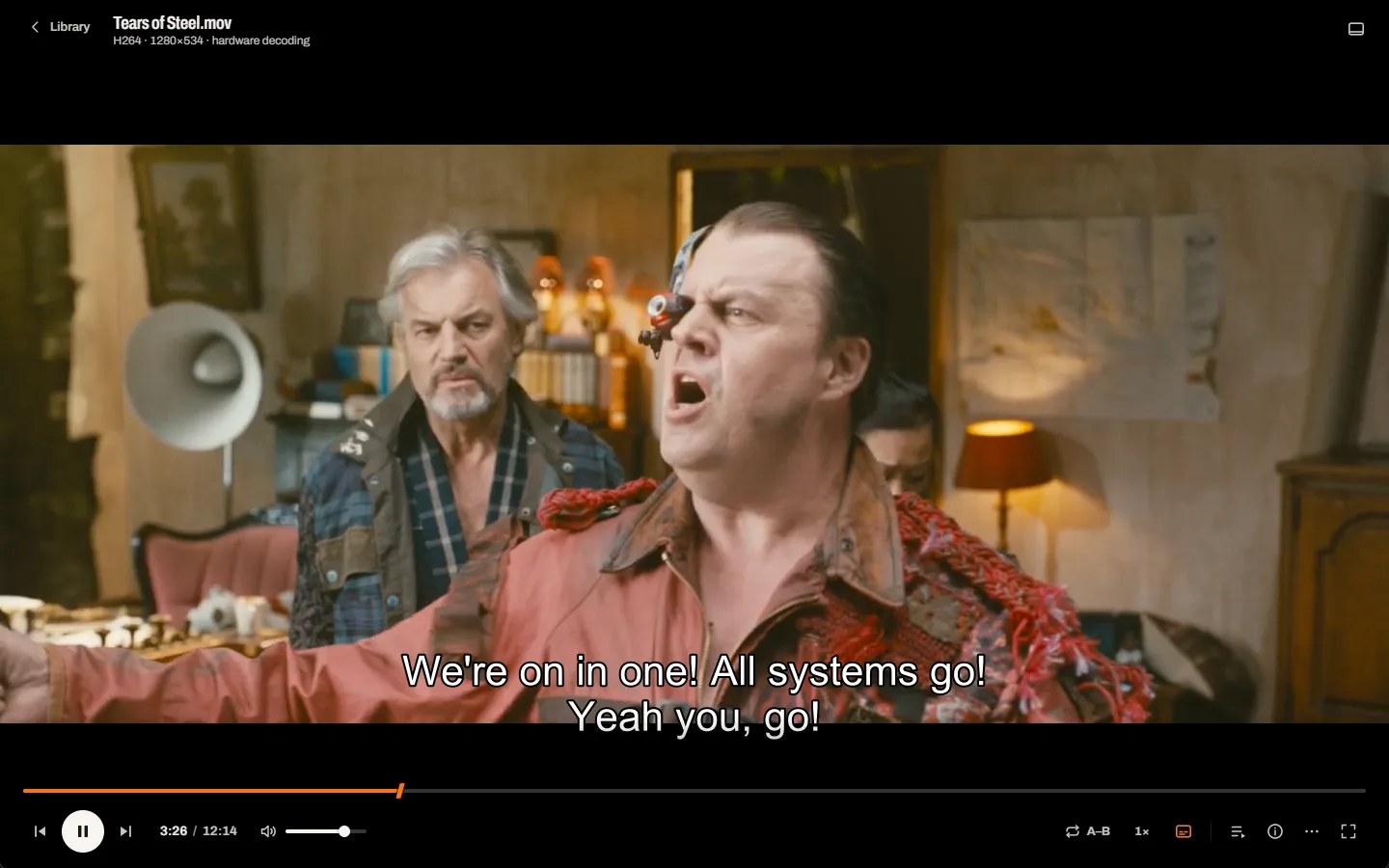
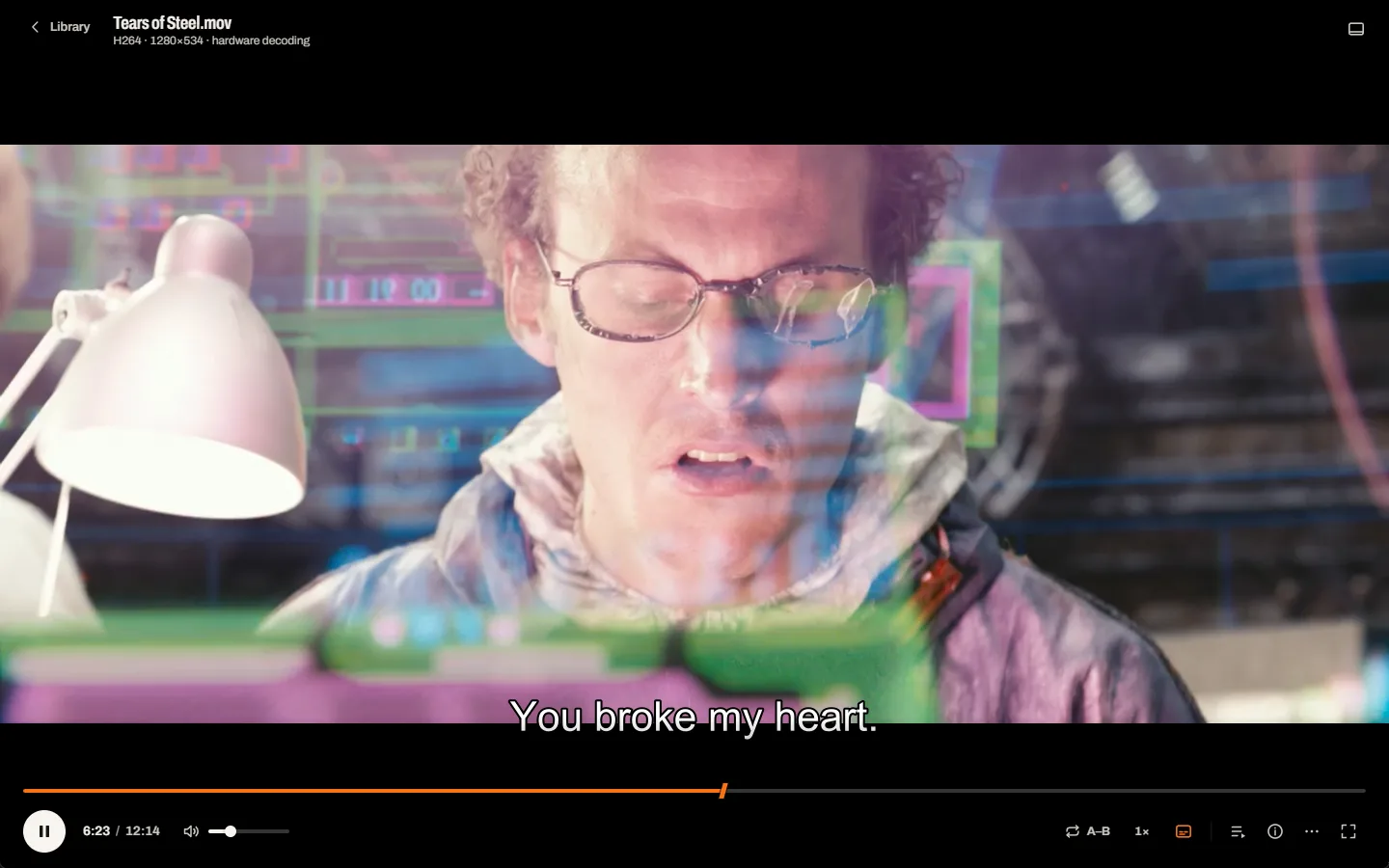
The film is the subject. The interface steps back while you watch and returns when you reach for it.
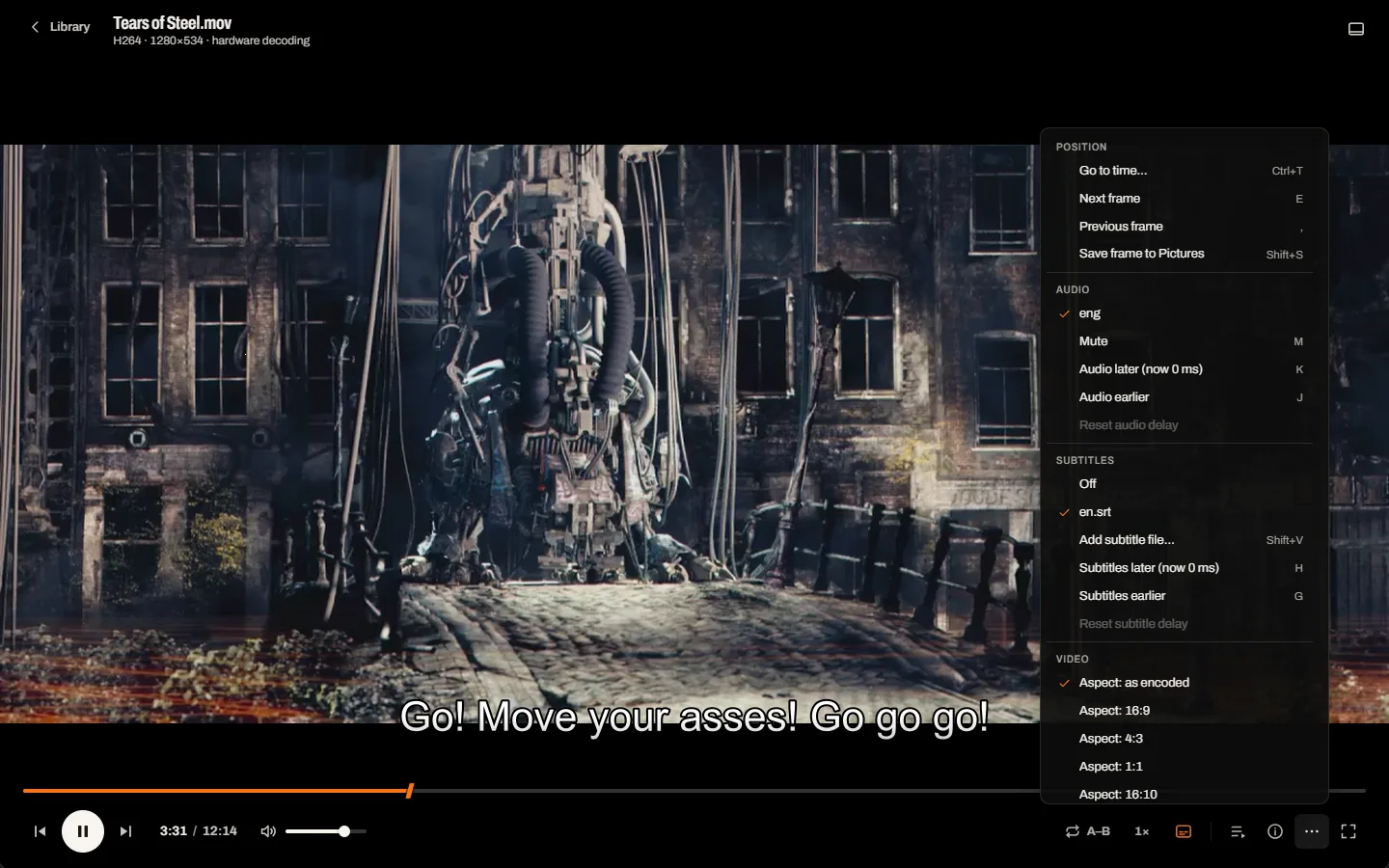
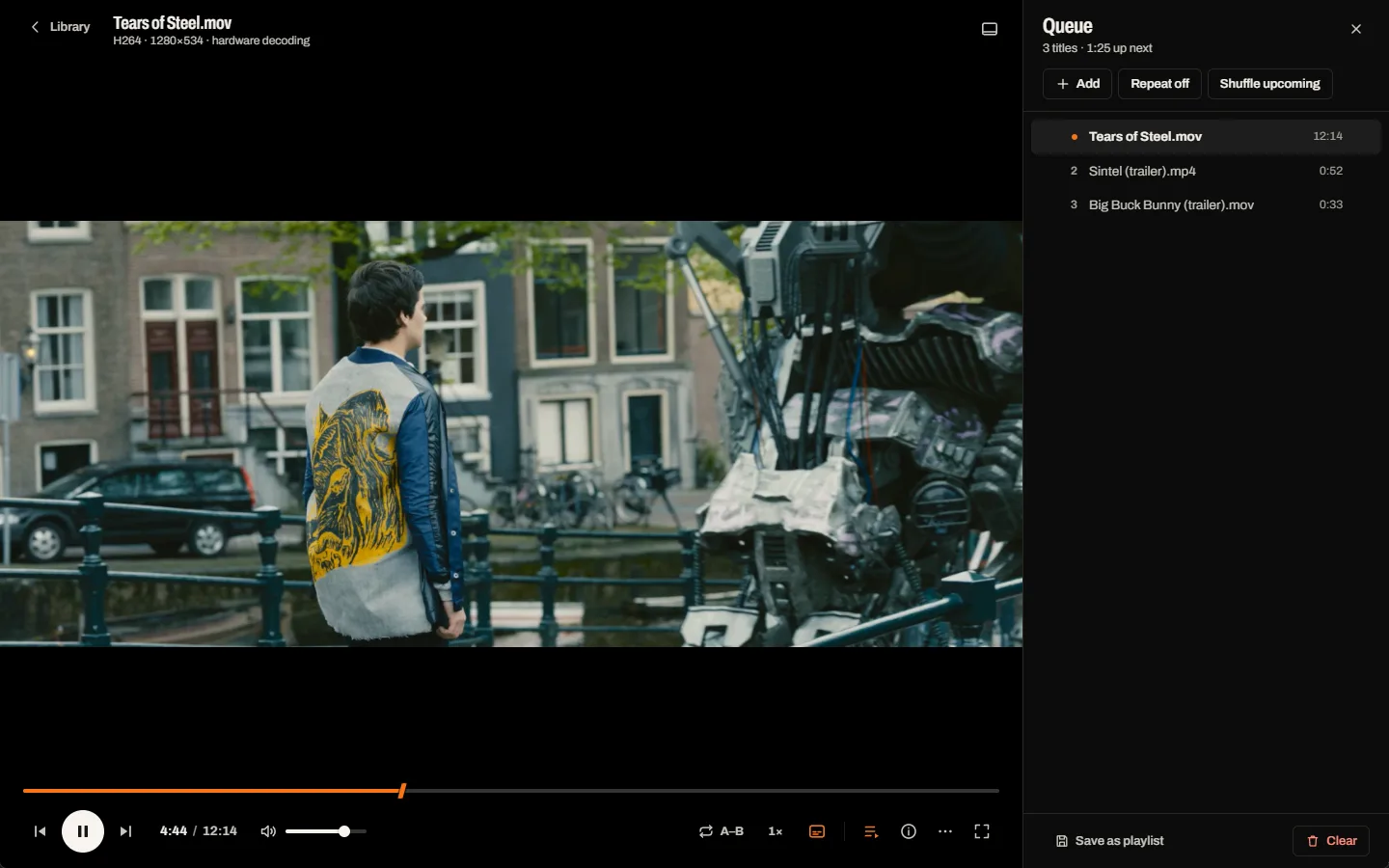
One deck under the picture: the timeline on top, the controls you use most on the left, quieter tools on the right that light up only when they are not at their default. Everything else lives in More, with its key beside it.
- Open files from the dialog, by drag-and-drop or as a launch argumentVerified
- Play, pause, exact seek, volume, mute, speed 0.25–4×, fullscreenVerified
- Frame step, aspect ratio, rotation, deinterlace, audio and subtitle delayVerified
- Audio and subtitle tracks, external subtitle filesPartialMenus verified; loading an external subtitle was verified in an earlier pass, not re-run for RC1.
- A–B loopVerified
- Hardware decoding with automatic software fallbackVerified in harnessd3d11va / nvdec used where the GPU supports the profile; the Settings toggle itself is Partial.
- Save the current frame to Pictures\NOVA, then Show in folderVerified
Continuity
Stop halfway through. Come back next week. NOVA is already there.
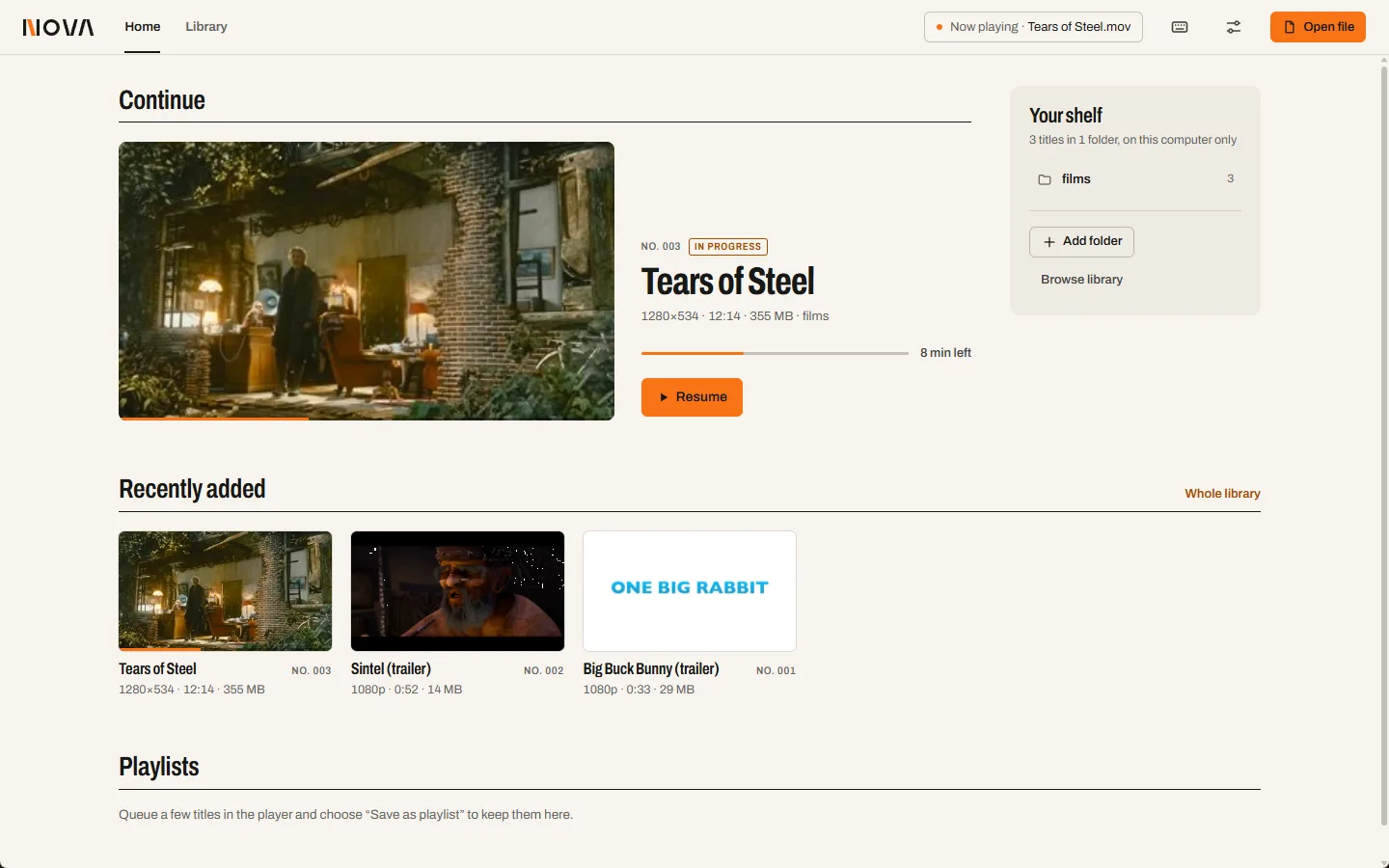
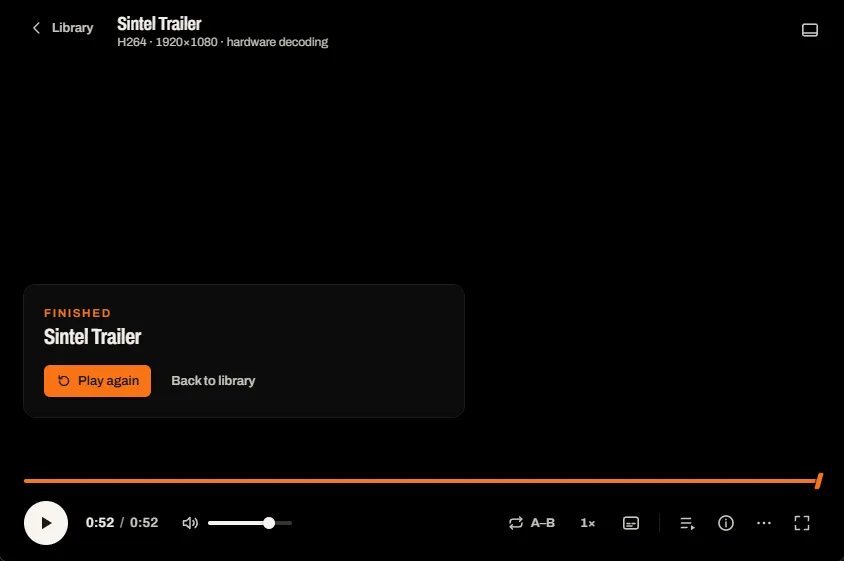
Your position is saved as you watch and survives restarts and crashes. Home leads with what you were watching. A queue lines up the evening and can be kept as a playlist, and the end of a file asks what's next instead of freezing.
- Resume where you stopped, across restartsVerifiedTitles under 60 seconds do not resume, by design.
- Continue and Recently added on HomeVerified
- Queue: next, previous, repeat, shuffle, reorderVerified
- Saved playlists: save, open, rename, deleteVerified
- Edit a saved playlist's orderNot builtOpen it, reorder the queue and save under a new name.
- End of media: Play next, Play again, Back to libraryVerified
Library
Your folders, catalogued.
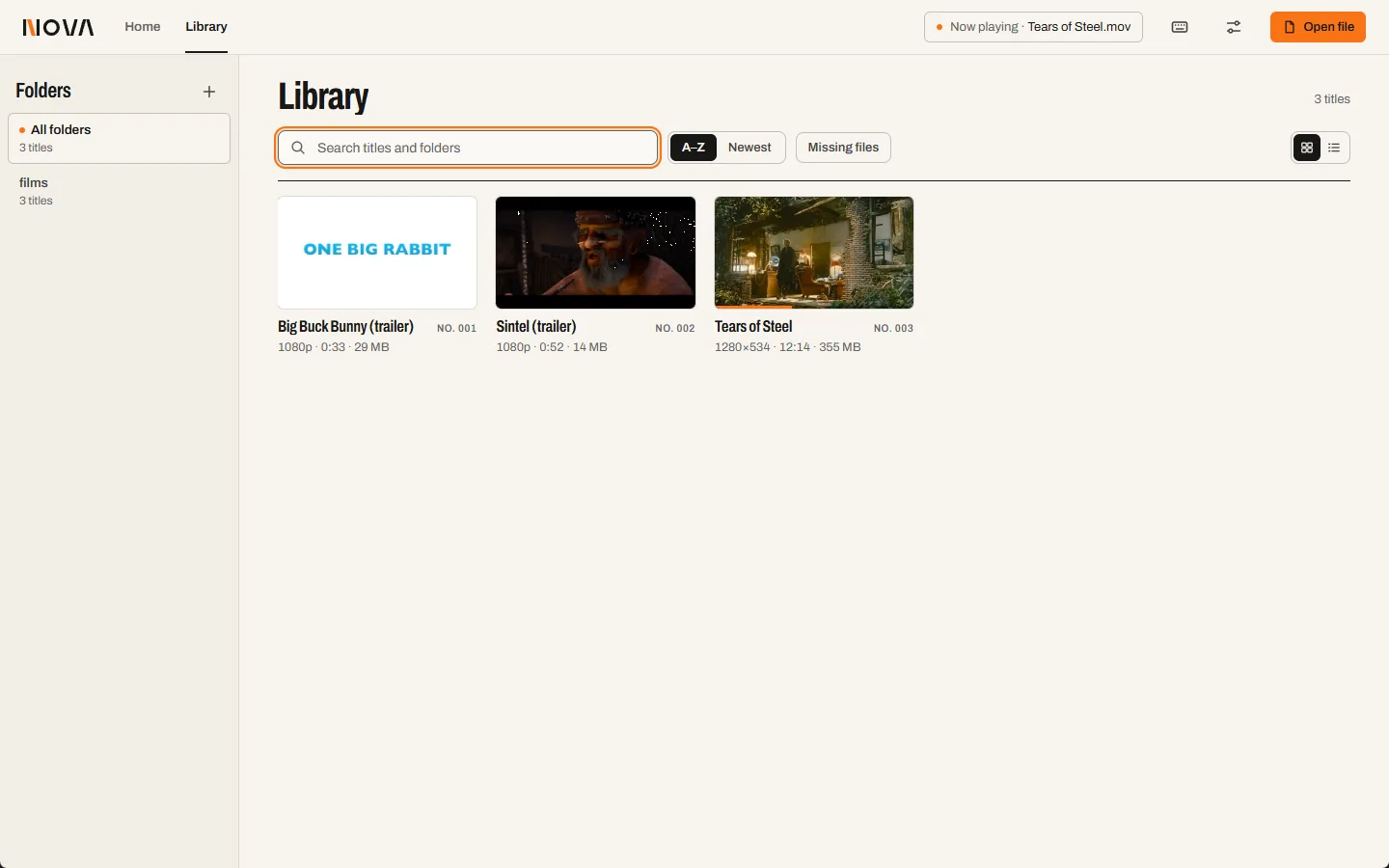
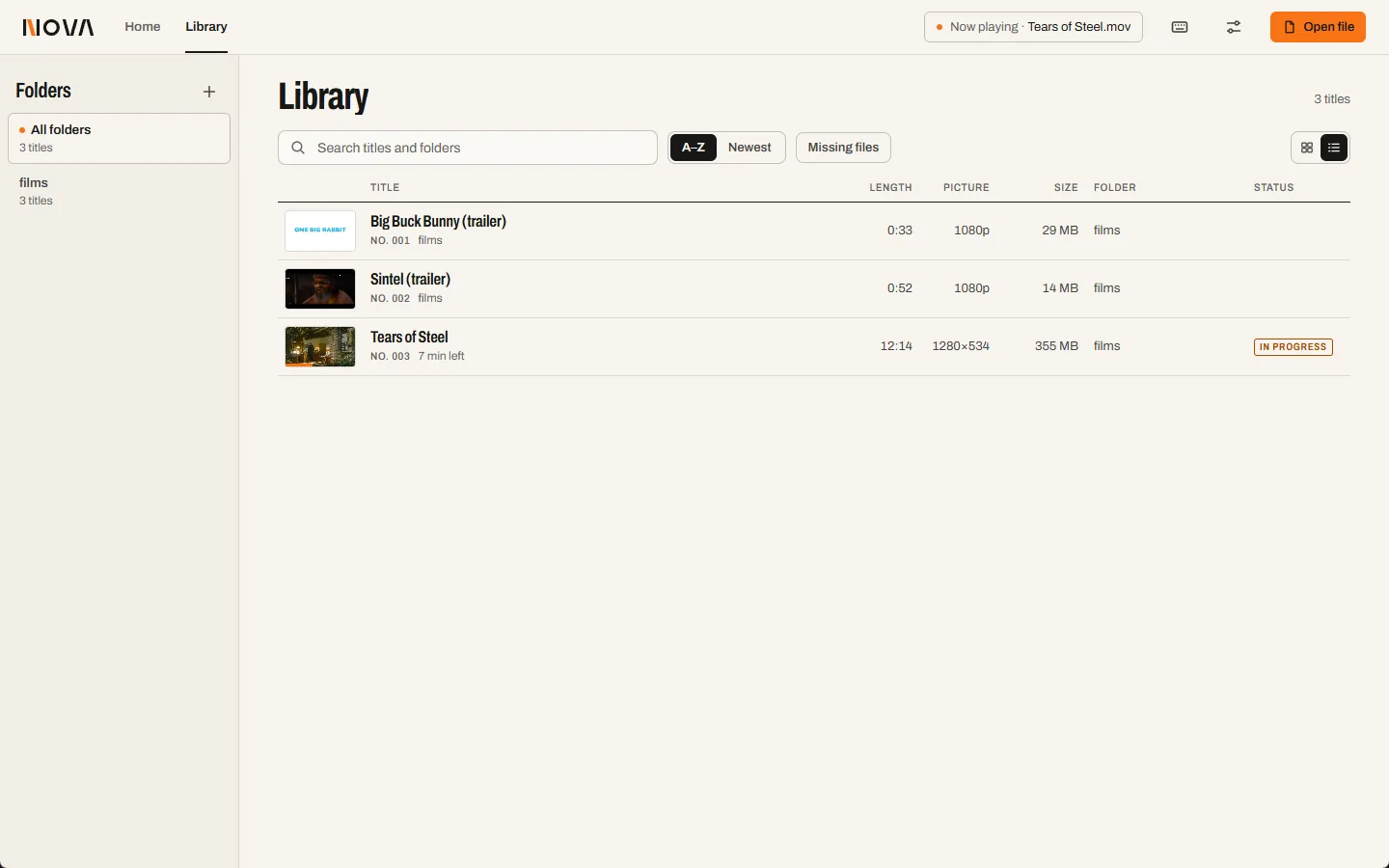
Point NOVA at folders and it scans them in the background: thumbnails, durations and a spec line for every title, a catalogue number, an In progress stamp. Grid for browsing, list for scanning columns.
- Thumbnails, durations and spec linesVerified
- Folders, background scan with progress and cancelPartialPresent; progress and cancel not re-exercised for RC1.
- Search, A–Z / Newest sort, missing-file filterPartialRendered; typing a search not re-exercised for RC1.
- Duplicate-file detectionNot builtThe library keys on path; the same file in two places is listed twice.
Insight
When footage looks wrong, the first question is what was actually decoded.
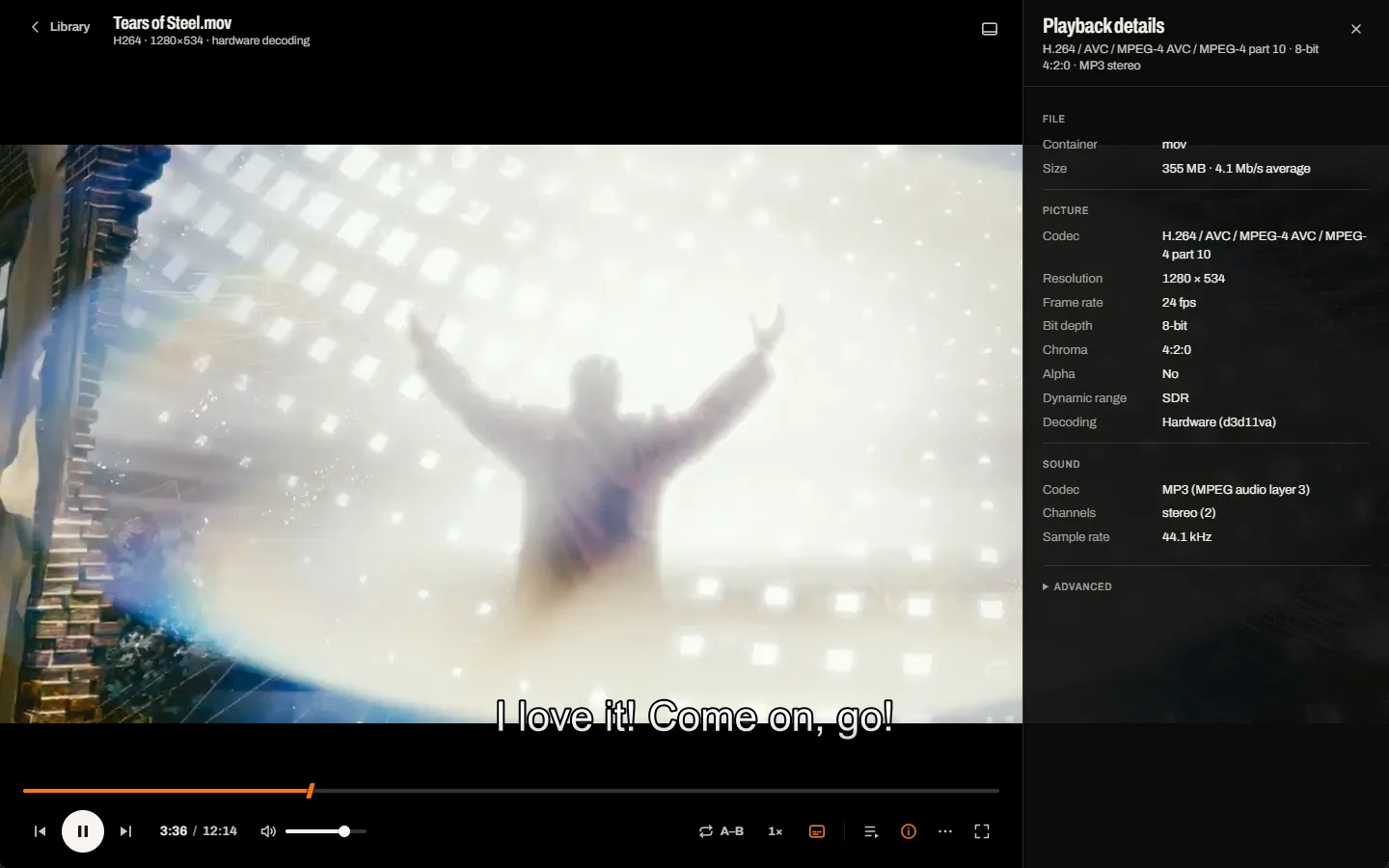
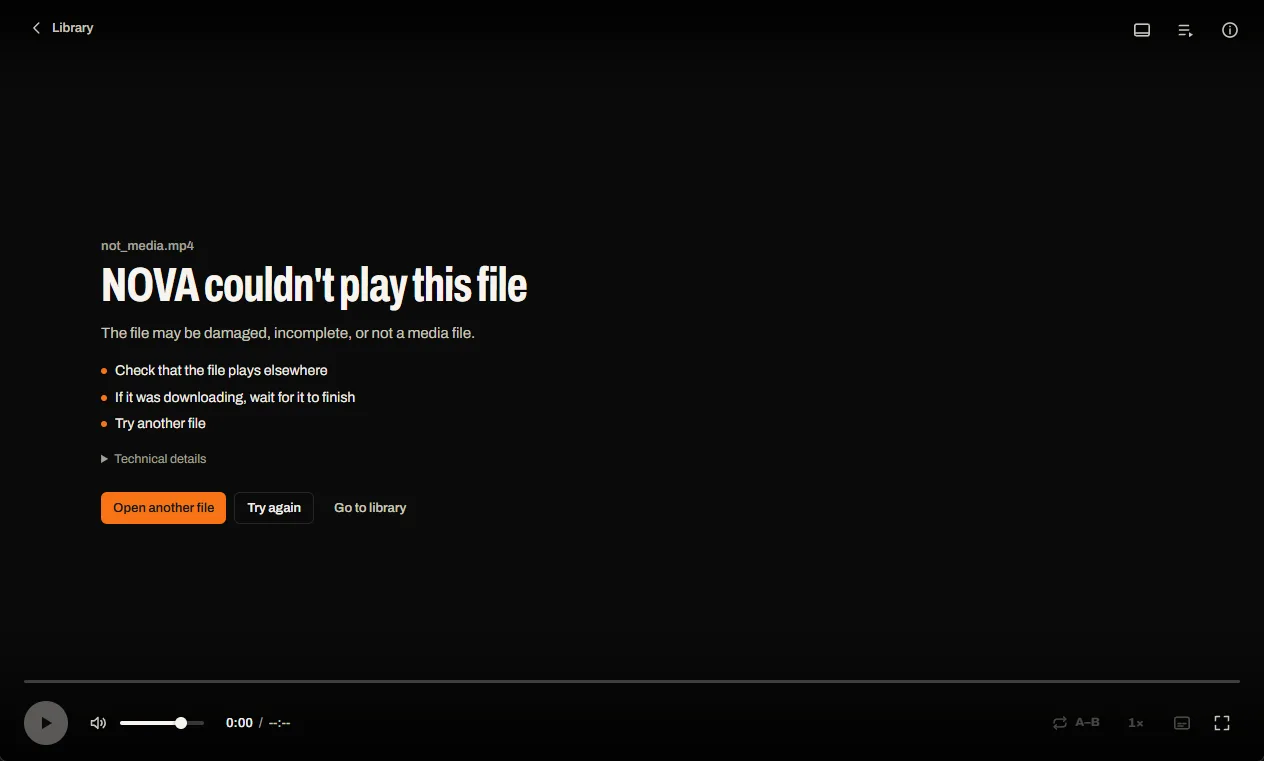
Playback details answer it from the engine: codec and profile, size, frame rate, bit depth, chroma, alpha, dynamic range and whether the GPU or the processor is decoding. When something can't play, NOVA says which file, why, and what to try.
- Playback details: container, codec, size, frame rate, bit depth, chroma, alpha, HDR, decoder, soundVerified
- A stream that can't be decoded: the rest keeps playing and a banner explainsVerified in harness
- Files that won't play: the reason, what to try, and a way outVerified
- Editing projects and camera RAW recognised and explainedVerified in harness
- Formats page with honest support tiersVerified
Control
Every action has a key, and every key can be yours.
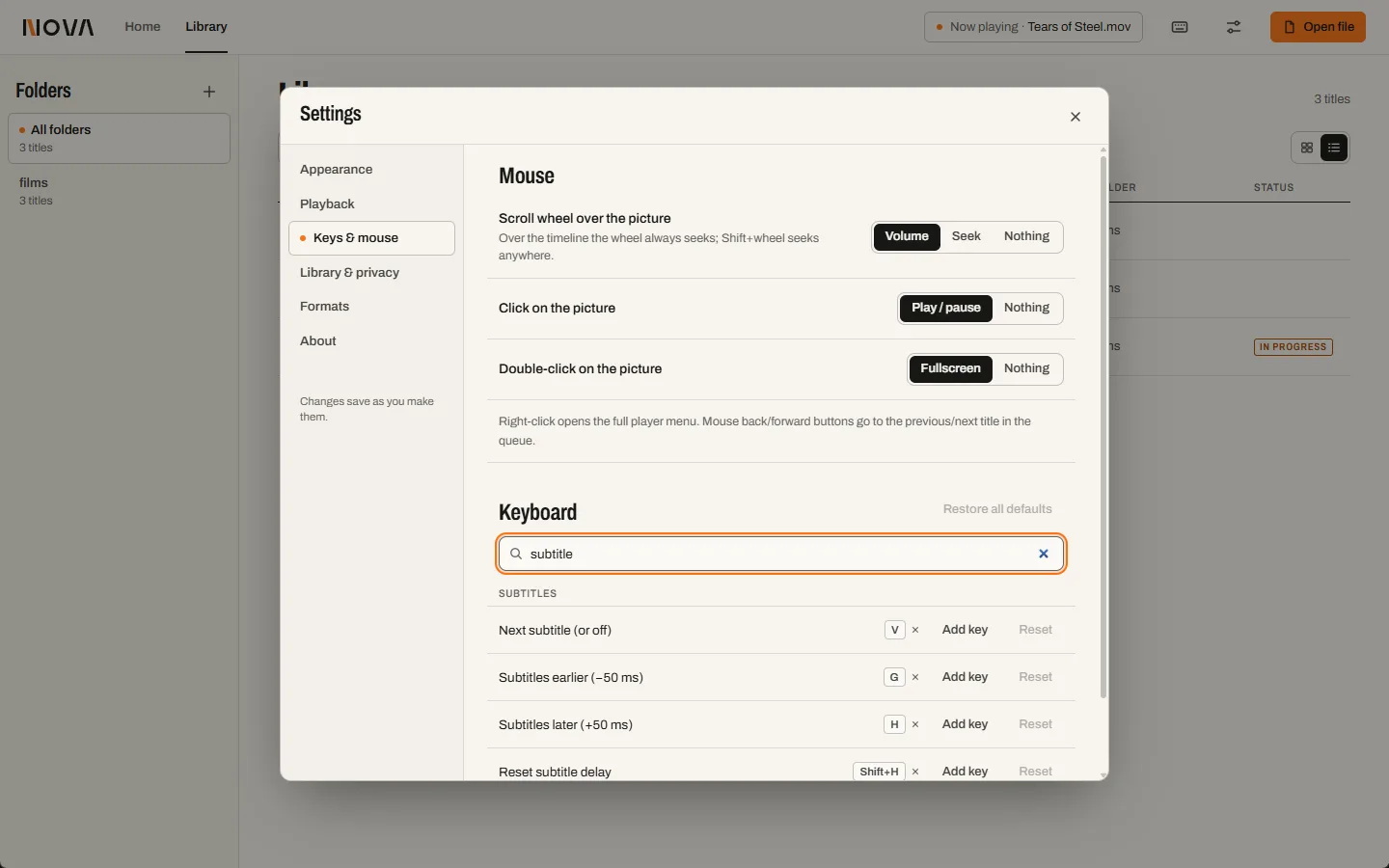
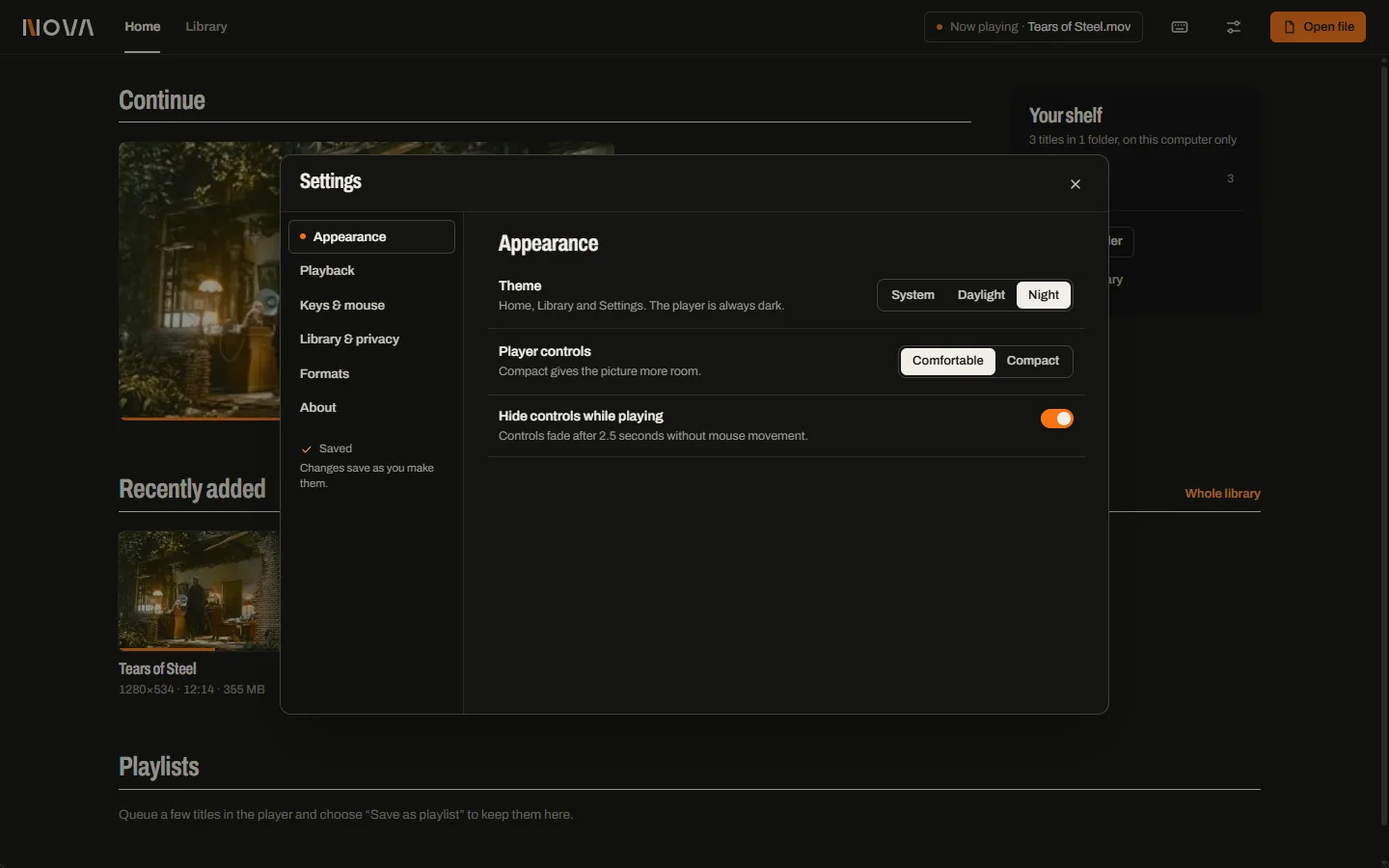
Find any action by name or by the key it uses, rebind it, see conflicts, and reset. Daylight or Night for the library and settings; the player stays in the dark.
- Every action on the keyboard, with a searchable keymap editor and conflict warningsVerified
- Shortcuts help on F1 or ?Verified
- Mouse wheel, click and double-click choicesPartialSettings render; wheel over the picture not re-exercised.
- Daylight, Night or System theme; the player is always darkVerified
Known issues
What we know is not right yet in 0.1.0. Nothing here is hidden elsewhere.
- Subtitles drawn by the engine can sit under the control bar while the controls are visible.
- Side panels and menus can't blur the video, which is a native surface below the interface; they use a 93% opaque fill instead.
- A playlist's duration reads “0:30 known”: correct, but awkward.
- Interface contrast was computed from colour tokens, not measured on rendered pixels.
- No timeline preview frames when hovering the seek bar.
- Alpha video is shown over black; image sequences, embedded timecode and camera RAW decoding are not built.
Sources: RC1 test record, media compatibility.